Task Bar Trade Center
Windows desktop utility
A Windows desktop utility for following inventory and market prices without leaving the game.
- Who is it for?
- Windows users tracking game inventory and market prices
- My contribution
- Personal project · Software development
- Period
- 2026
The need to solve
Accessing inventory and prices in-game requires handling provider rate limits and country/currency-specific price scopes.
What it enables
Inventory views and an in-game price overlay were developed with caching, backoff, hotkeys and notifications.
What I built
I developed Win32 inventory reads, price overlays, request queuing and Windows interactions in a Go/Wails desktop application.
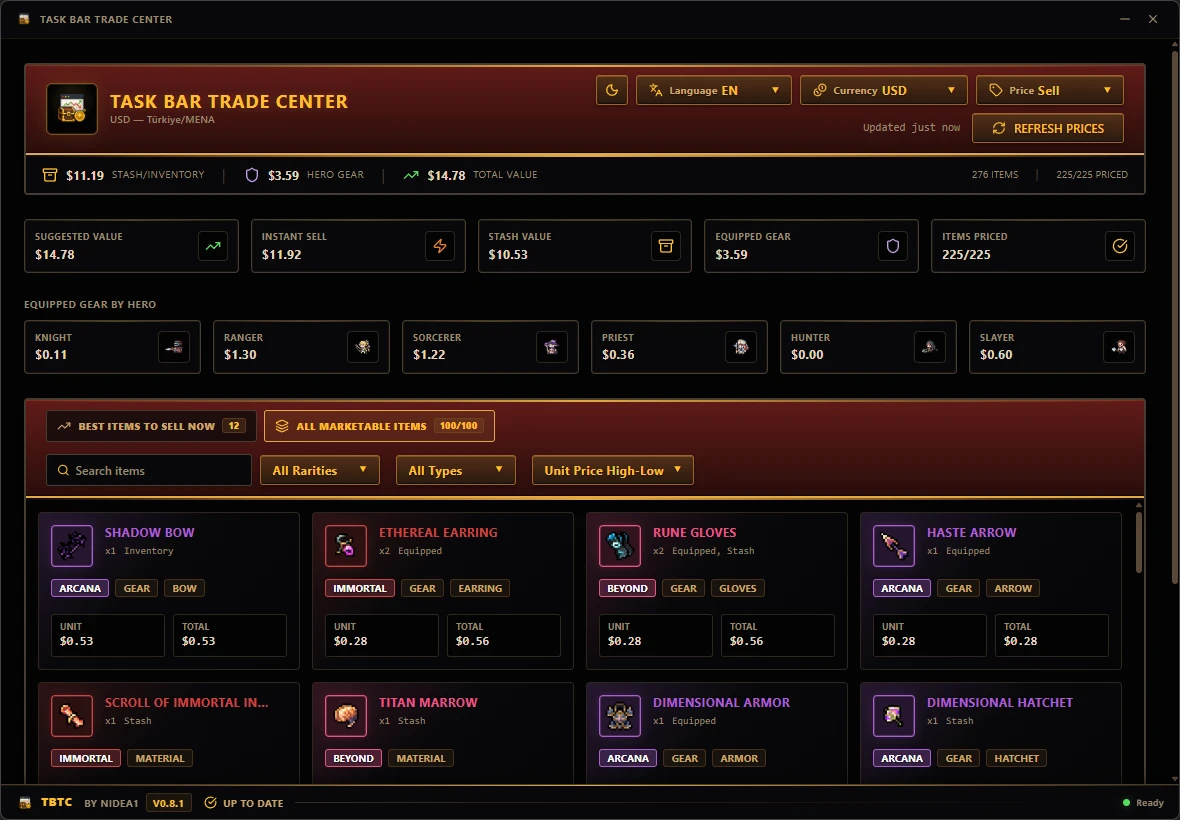
Application screens
From real-time inventory valuation to algorithmic recommendations, request queues, and in-game HUD overlays: explore the Task Bar Trade Center desktop experience.


Explore development details
For readers interested in the technical approach: workflows, technologies and implementation decisions.
How does the process work?
The path from in-game inventory to a price overlay combines desktop integration, caching and provider limits.
Main flow
Open through a hotkey or tray
Invoke the Wails desktop app through a hotkey or the system tray.
Read the game inventory
The Win32 process-memory integration reads inventory data from the game process.
Prepare items and region
Prepare inventory items for pricing and apply country and currency information.
Check the cache
Inspect existing price data and identify items that need a provider request.
Queue the price request
Send provider requests through a price queue with adaptive limits.
Process and cache the response
Process prices within their country / currency scope and store them for reuse.
Display the overlay
Match prices to inventory in the React interface; tray and notification integrations complete the experience.
Alternative and supporting processes
If a price is cached
- Use the existing price
Read suitable cached data without another provider call.
- Match the inventory item
Pass the price to the overlay path for the corresponding item.
If the provider returns HTTP 429
- Apply backoff
Use waiting and adaptive request limits when the provider reports a rate limit.
- Requeue the request
Retry the request through the price queue.
The approach
- Built a Windows desktop tool with Go/Wails and React/TypeScript, connecting Win32 process-memory reads to inventory views and an in-game price overlay.
- Built request queuing, adaptive rate limiting, HTTP 429 backoff and caching for Steam Market data, managing country/currency-specific price scopes.
- Implemented global hotkeys, system-tray integration and Windows notifications; wrote Go tests for overlay placement, price parsing and inventory resolution.
Technologies
- Go
- Wails
- React
- TypeScript
- Win32